Click on the Learner's Insurance Tab and select "Create Claim".
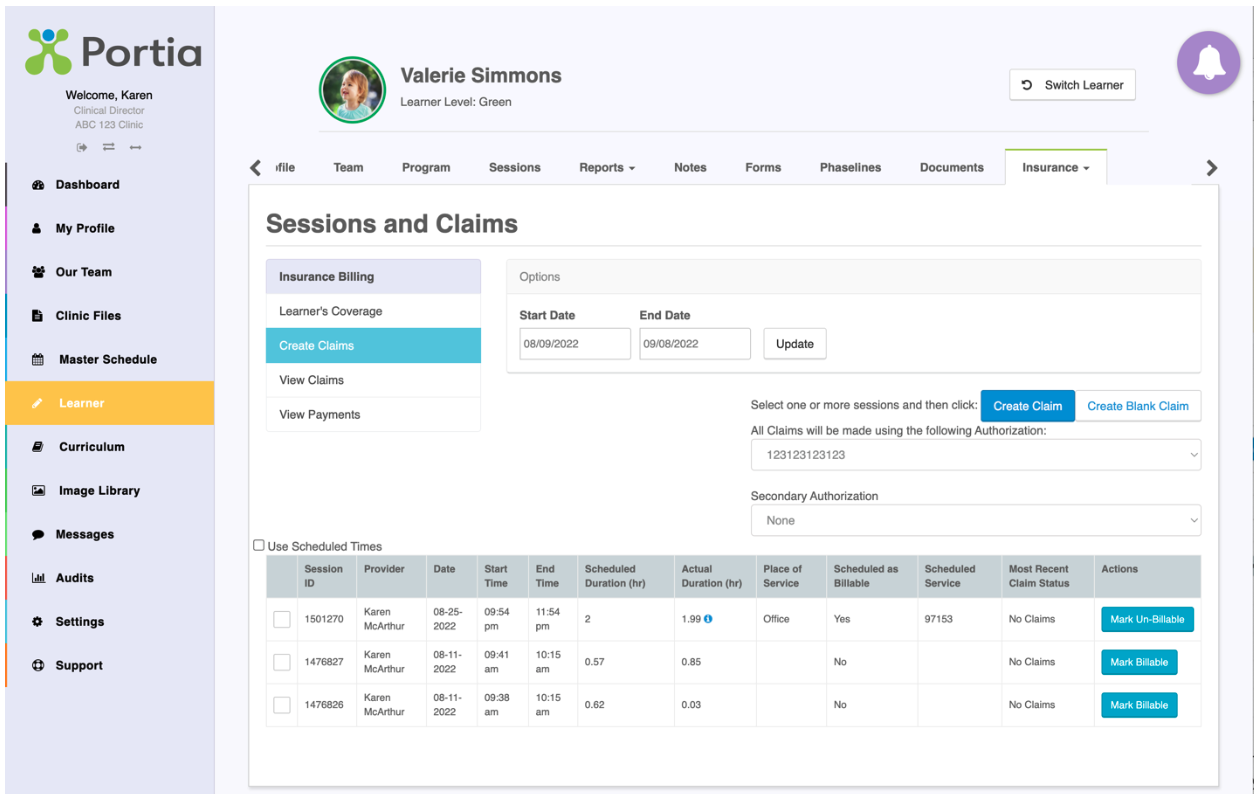
Adjust the date range if applicable. Use the Action column on the far right of the screen to click on the blue “Mark Un-billable" button.
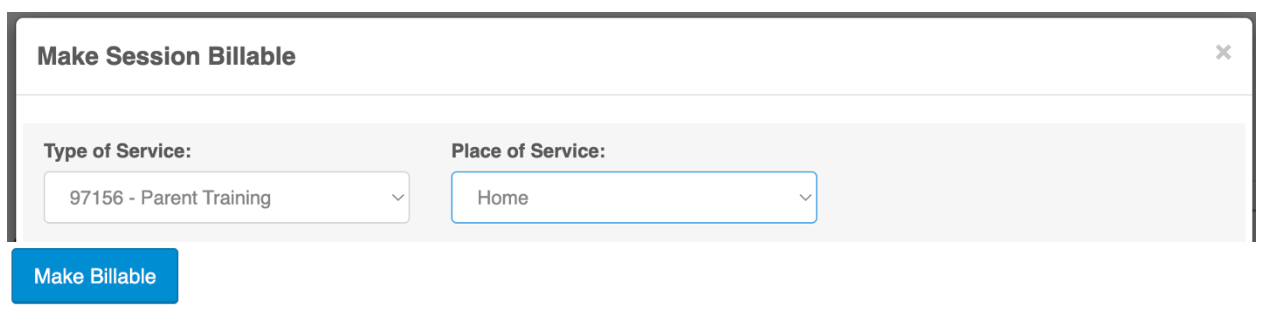
To Make a Session Billable and enter / change a service code. Press on the "Mark Billable" button. You will be prompted to change the existing service type/ code and billable location.
On the pop-up window - you can swipe from left to right to see the authorization and units.
Scroll to the bottom of the page to click "Make Billable" to confirm change.
© 2012 – 2024 Portia International Inc.
Related Articles
Guardian (Parent) Portal
Learner's session calendar can be viewed from the parent / guardian dashboard. Including session type, date and time, therapist name and location od service. Parents / Guardians have access to the most recent 10 past and future sessions, including ...
Behavior Deceleration
Make a Task a Behavior Deceleration Task by Selecting Behavior Deceleration under Task Type. Once a task type is selected as Behavior Deceleration a BIP (Behavior Intervention Plan) template will be available, including “how to” instructions that can ...
User Configurations
In Settings -> System Configurations - User Configurations. Here you have the ability to set where or not you wish to have: 1. Therapist Account to schedule their own sessions. 2. Allow Therapist Admin Accounts to be able to change the Status of a ...
How to add a Team (Staff) Member
Portia has various Account Types, each with its own unique permission settings. See file: Permission Matrix.xlsx attached to this article to determine which account type is best suited for your Team. Prior to creating a Portia Team account, please ...
Mand Frequency
Make a Task a Mand Frequency Task by Selecting 'Mand Frequency' under Task Type. The Task Name is the title of what will appear on the mobile app in the Mand Frequency section. i.e., Task Name 'Mands using what questions" will show 'Mands using what ...